Only approved adults collect a child at this gate.
The paper card is replaced by a code on the parent's phone that only works for people the school has approved, and it keeps working when the network is down.
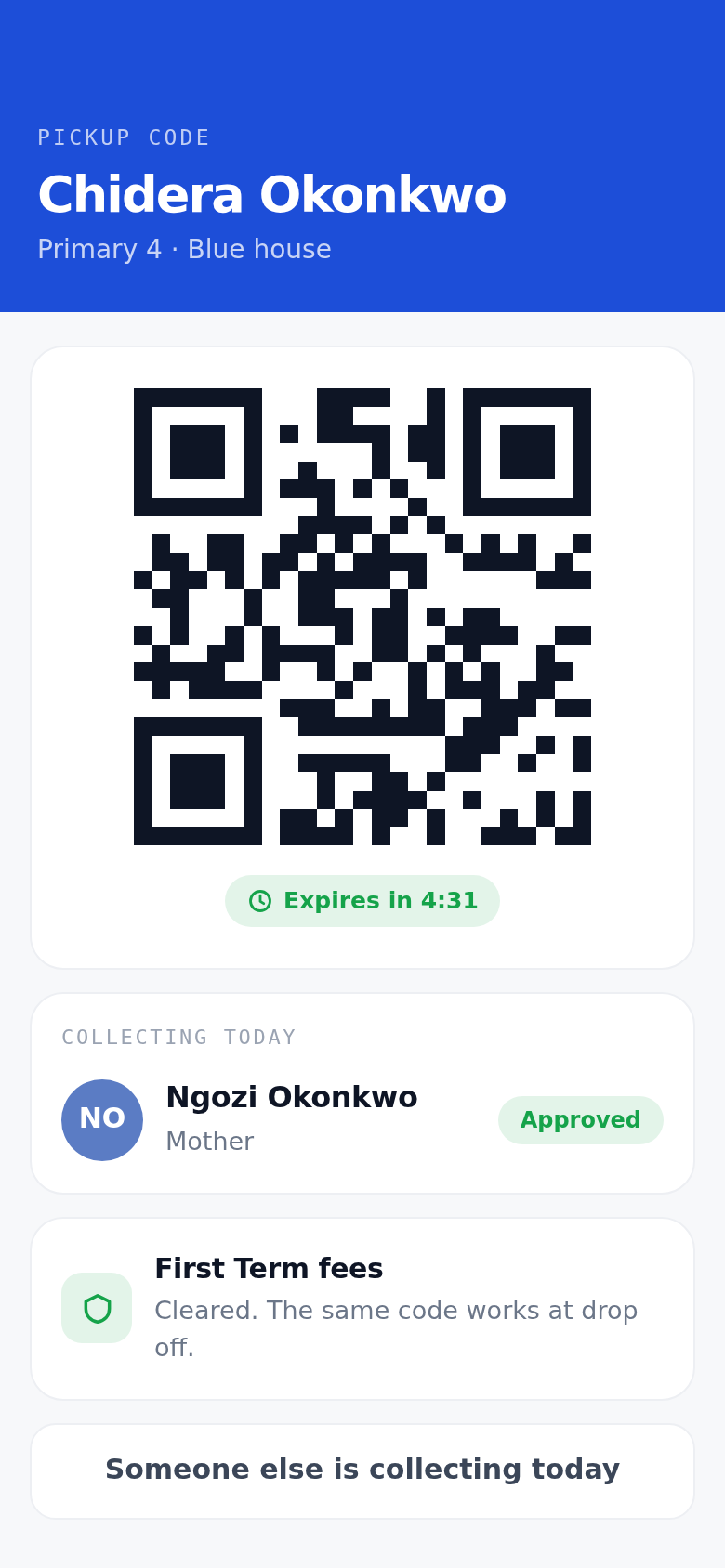
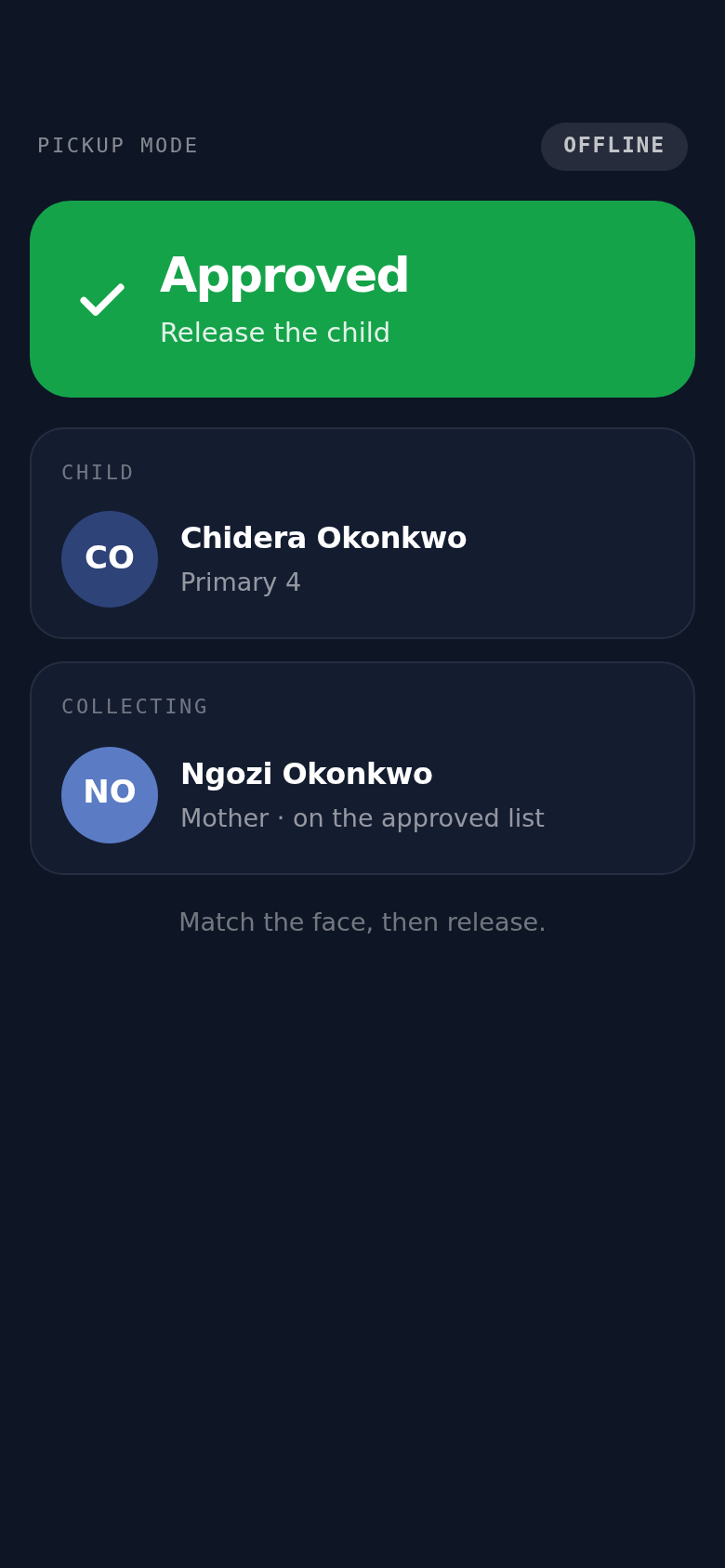
Three taps between the classroom and the car.
- Step 01
The parent shows a code
It encodes exactly who is authorised to collect this child right now. It rotates, and it expires in minutes.
- Step 02
The guard scans and looks up
He sees the child's photo, the collector's photo and one clear approved state. He matches the face, then releases the child.
- Step 03
The parent is notified
A notification says who collected the child and when. The scan is logged with the guard, the collector and the time.
Why it beats a paper card.
A lost card is a security hole, and a screenshot lasts forever. These codes are signed, they expire on their own, and they verify with no signal.
Works with no network
The staff app keeps the day's list on the phone. If the line goes down mid-pickup, your guard carries on scanning.
Signed, rotating codes
Every code is signed with a key that lives on the server. A forged or edited one does not verify, so there is nothing worth photocopying.
Codes expire on their own
A card lasts until somebody loses it. A code has an expiry built in, so the screenshot a parent forwarded this morning is already dead.
What proprietors ask at the gate.
- We already use pickup cards.
- Cards get lost, lent and photocopied. They also cannot tell you who collected a child last Tuesday. Every scan here is logged with the guard, the collector and the time, so you can answer that in front of a parent.
- Not all our parents have smartphones.
- A parent without a phone registers a guardian with a photo, and your guard looks that person up by name. No app is needed for that family.
- What happens when the network is down?
- The staff app keeps the day's list on the phone, so scanning works with no network at all. One limit worth knowing: a fee paid this morning may not reach the gate until the next sync.
The gate is one hour of the day.
If you have asked the gate to check fees, it reads the balance your bursar verified in the office. One record, two places.
Fees and payments
Requisitions, card and transfer payments, and the clearance the gate reads.
Read moreAcademics
The register, the gradebook, timetables and report cards in one place.
Read moreComms and community
Messaging, announcements and events that reach the parent, not the school bag.
Read moreFifteen minutes at your gate, no cost.
We come with two phones and show you the scan with your own children's names in it.