Know what the term has collected.
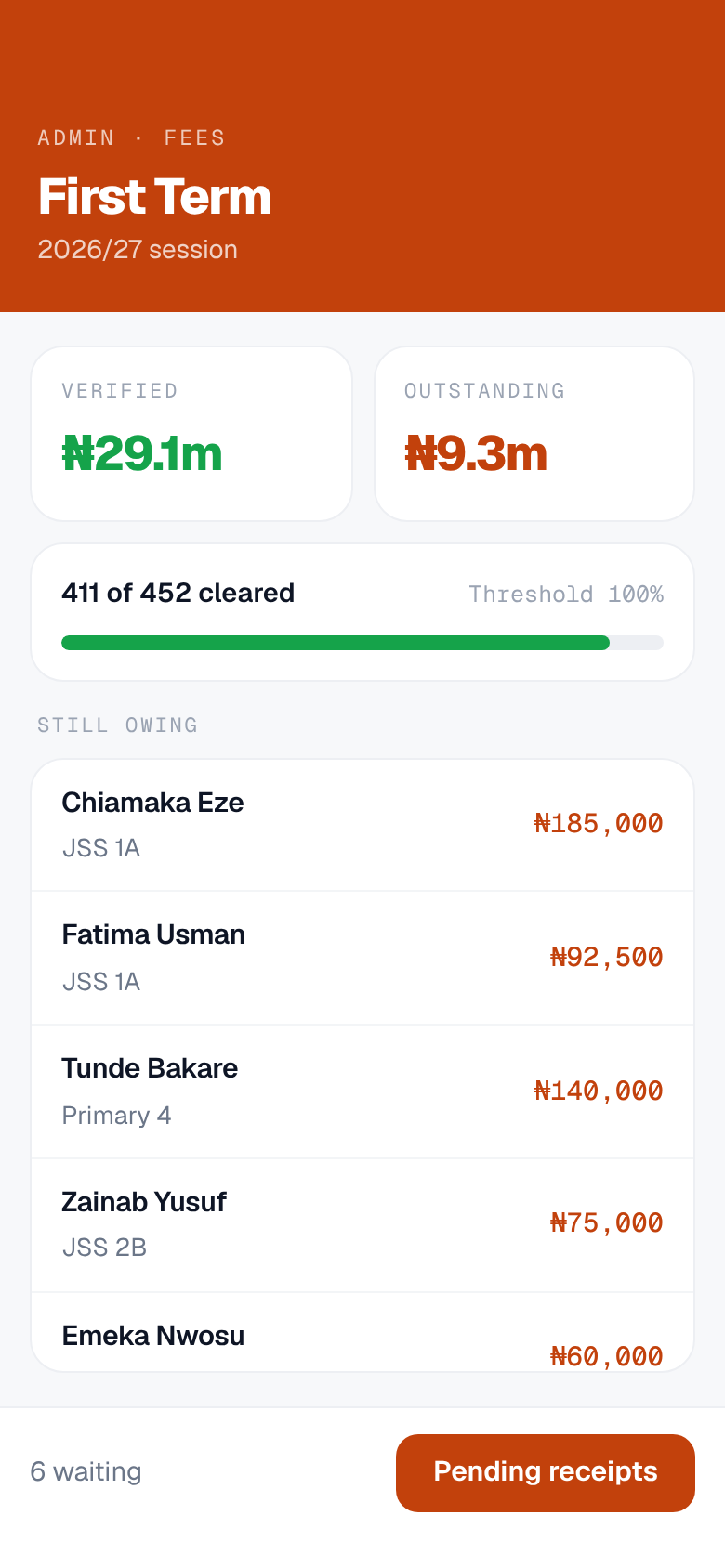
Chalka Staff opens on the money. What the term is owed, what has been verified, and which families are short. Your bursar clears the receipt queue from the same app that holds student and parent records, sends announcements and closes the term. Security signs in to a different screen for the gate.
Where the staff app meets the rest of the school day.
- 07:10 The gate
- 08:20 Register
- 10:00 The office
- 12:40 Comms
- 14:45 Pickup
- End of term Results
What you can do from your phone.
Fees and collection
What the term is owed, what has been verified, and who is short. The figure moves when your bursar clears a receipt, not at the end of the month.
The receipt queue
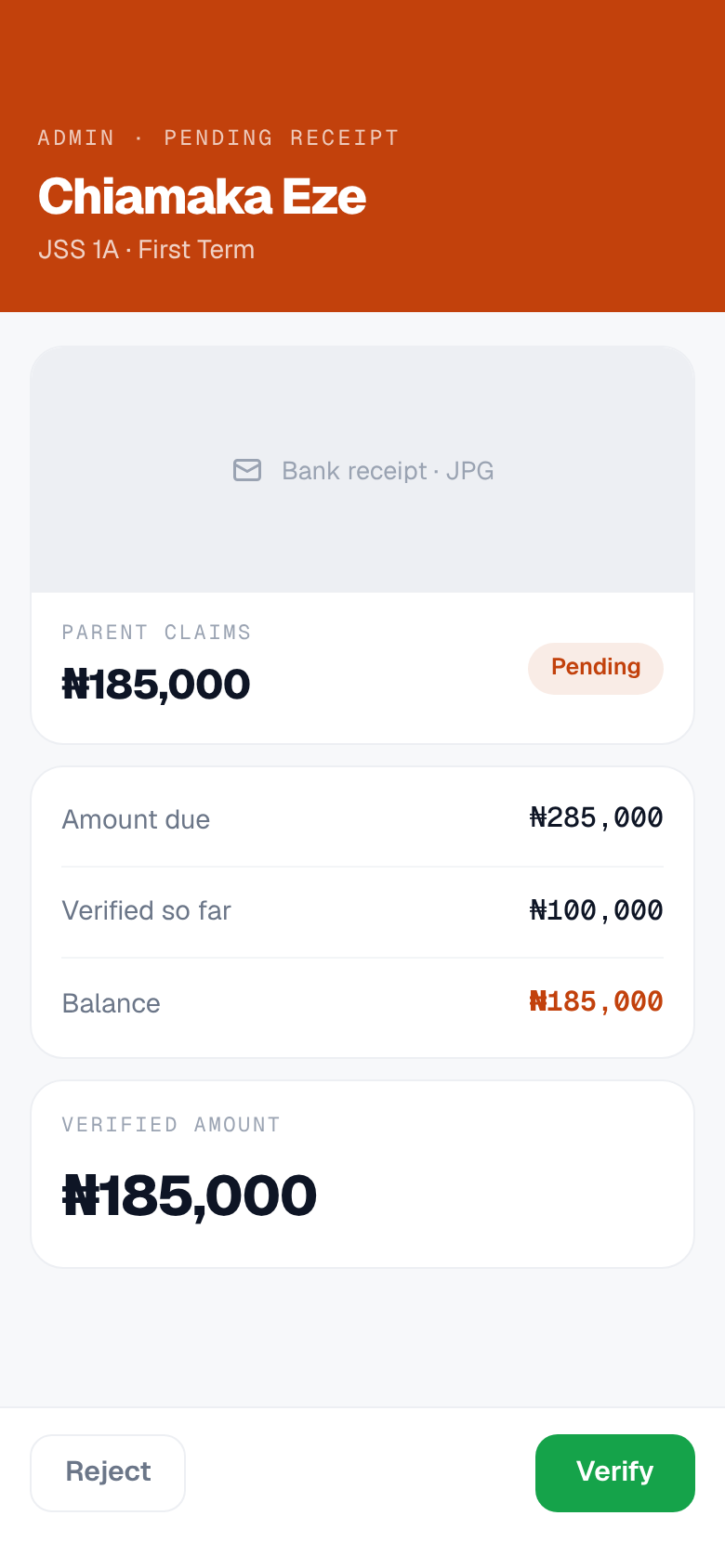
A parent pays by transfer and puts the receipt up against their bill. Your bursar opens it, types the amount she can actually see on it, and verifies or rejects it with a reason the parent reads.
Clearance you control
You decide whether the gate checks fees at all. It is off until you switch it on, and you set the share of the bill that counts as cleared.
Students, parents and staff
Records, guardians, classes and staff accounts, searchable from the phone rather than from a cabinet.
Announcements
Send a notice to the whole school or to one class. It arrives on the parent's phone, and it is logged.
The gate, when you need it
Pickup and clearance scanning for security, working with no network at all. A fee paid this morning may not reach the gate until the next sync.
And the same school in a browser.
Chalka web is one address everyone at the school signs in to, with no install. It is where the office does the work that needs a big screen: imports, the fee list for a whole term, admissions and end of term review.
app.chalka.ng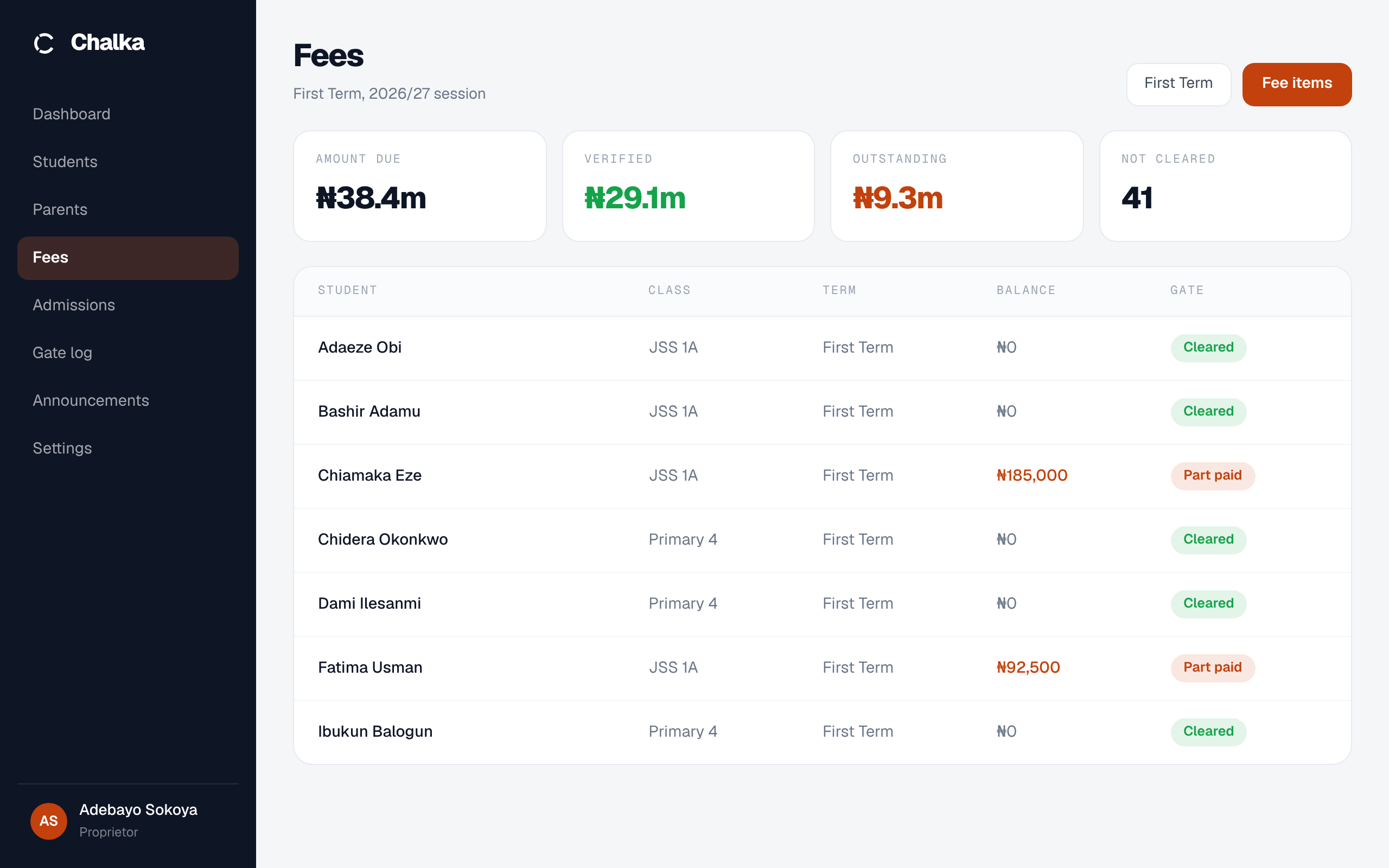
One app, two doors
Security gets a gate-focused scanning screen. The office gets a management screen. An account is strictly one type, so a guard cannot wander into fees and an administrator cannot accidentally release a child.
See it at your own gate.
Fifteen minutes at your gate, no cost. We show you the scan on your own phone, with your own children's names in it.